Otixo2.1
Publisher Description
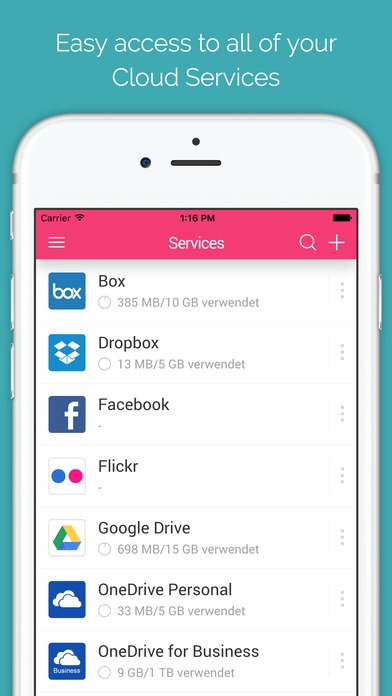
One app for all your clouds
- Access all your online files with a single login
** This app requires a valid Otixo subscription..
Supports 35+ different cloud services
Transfer files between clouds without using your data. (Files don't move to your device when transferring between services. Everything stays in the cloud!)
Search across all your clouds from one place
Access all your cloud files from a single place
Open files in your favorite apps (like Quick Office, Photos, GMail, etc.)
Upload your photos to any cloud service.
Supported Services:
4Shared
Adrive
Alfresco
Amazon Cloud
Amazon S3
Box
CloudMe
Cubby
Digital Bucket
DriveOnWeb
Dropbox
Evernote
Fabasoft
Facebook
FilesAnywhere
Flickr
FTP
GMX.DE
Google Drive
HiDrive
Huddle
LiveDrive
MagentaCLOUD
MyDrive
OneDrive
OneDrive for Business
OnlineFileFolder
OwnCloud
Picasa
Skeegle
SugarSync
TradeMicro SafeSync
WebDAV
WEB.DE
Yandex
Supported languages:
English
German
Requires iOS 8.0 or later. Compatible with iPhone, iPad, and iPod touch.
About Otixo
The company that develops Otixo is OTIXO INC. The latest version released by its developer is 2.1.
To install Otixo on your iOS device, just click the green Continue To App button above to start the installation process. The app is listed on our website since 2013-06-26 and was downloaded 41 times. We have already checked if the download link is safe, however for your own protection we recommend that you scan the downloaded app with your antivirus. Your antivirus may detect the Otixo as malware if the download link is broken.
How to install Otixo on your iOS device:
- Click on the Continue To App button on our website. This will redirect you to the App Store.
- Once the Otixo is shown in the iTunes listing of your iOS device, you can start its download and installation. Tap on the GET button to the right of the app to start downloading it.
- If you are not logged-in the iOS appstore app, you'll be prompted for your your Apple ID and/or password.
- After Otixo is downloaded, you'll see an INSTALL button to the right. Tap on it to start the actual installation of the iOS app.
- Once installation is finished you can tap on the OPEN button to start it. Its icon will also be added to your device home screen.
